





StorePro Commerce Logo StorePro Commerce Contact Us
Contact Us

Setting Up Your First Online Store

Get your e-commerce business live in a week with our step-by-step guide to choosing platforms, registering domains, and launching products.

Reading time: 12 min Level: Beginner Published: February 2026
Laptop displaying an e-commerce storefront with products and shopping cart interface visible on screen

Why You're Ready to Start Now

You don't need a massive budget or technical background to launch an online store in 2026. The barriers have dropped dramatically. Tools that used to require hiring developers now come built-in. Hosting costs a few pounds monthly. And payment processing happens automatically.

The real challenge isn't the technology — it's making decisions. You'll need to pick a platform, choose your domain, set up payments, and photograph your first products. We'll walk through each of these in order. By the end of this guide, you'll have a functioning storefront ready to accept orders.

Person aged 30 fully clothed at modern desk workspace with computer monitor and notepad, professional lighting, focused expression

Step 1: Choose Your Platform

You've got three main categories. Hosted platforms like Shopify handle everything — hosting, security, updates — but charge monthly fees starting around £29. Open-source options like WooCommerce give you more control but require you to manage hosting and security yourself. Then there's the middle ground with platforms like BigCommerce.

Hosted (Shopify, Wix)

Best if you want to launch fast. No technical knowledge required. Monthly subscription covers everything.

Self-Hosted (WooCommerce)

Best if you want flexibility. You control everything but manage hosting and updates yourself. Lower monthly costs.

Hybrid (BigCommerce)

Hosted but with more customisation options. Middle ground for features and pricing.

Close-up of computer screen displaying various e-commerce platform dashboards and interface options
Person aged 28 fully clothed working on laptop at home office desk, typing and reviewing domain names

Step 2: Register Your Domain

Your domain is your online address. Something like yourstore.com or yourstore.co.uk. You'll register this through a domain registrar — companies like Namecheap, GoDaddy, or 123Reg handle this. Cost is usually £8-15 annually for a .com or .co.uk domain.

Pick something short, memorable, and easy to spell. Avoid numbers and hyphens if you can. And honestly? Don't overthink it. Your domain matters less than your products and service. If you're selling handmade jewellery, something like "sarahsjewelry.co.uk" works better than trying to be clever with "sparkle-bling-emporium.co.uk".

Most platforms like Shopify let you register the domain through them, or you can buy separately and connect it. If you buy separately, you'll just need to point your domain's nameservers to your platform's servers — the platform will give you exact instructions for this.


Steps 3-5: Configuration Essentials

Once your platform and domain are set up, three things need attention before you launch.

3

Connect Payment Processing

Customers need a way to pay you. Stripe and PayPal are the most common. You'll need a UK business bank account to connect them. This takes 5-10 minutes to set up once you've got your bank details ready. Test a payment with a small amount to make sure it's working.

4

Add Your First Products

You'll need decent product photos. Don't overthink this — use your phone camera in natural light. A plain background works fine. Add clear descriptions with sizes, colours, and materials. Include your cost plus a reasonable markup. Most retail businesses aim for 2-3x the product cost as the selling price, depending on your category.

5

Set Shipping and Tax

Decide how you'll handle shipping. Flat rate, weight-based, or free over a certain amount — pick what makes sense for your products. For VAT, if you're under £85,000 annual turnover, you're not required to charge it yet. Your platform will guide you through tax setup based on where you're selling.

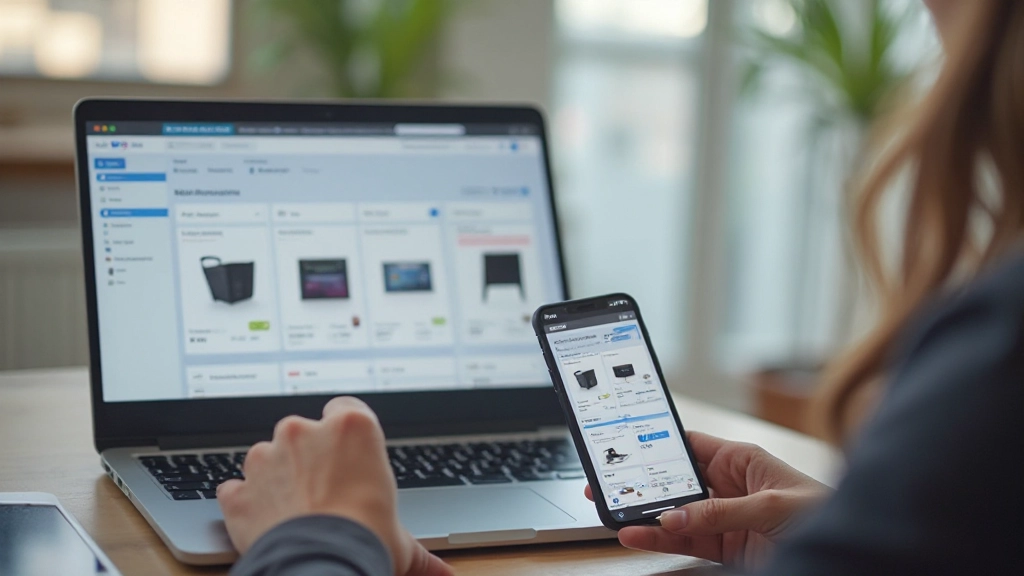
Mobile phone and laptop screen showing e-commerce admin dashboard with product listings and payment settings

Going Live: Your First Week

You don't need perfection to launch. You need a functioning store with real products and working payments. Everything else you can improve as you go.

Day 1-2

Platform signup, domain registration, basic store branding (logo, store name, colours).

Day 3-4

Connect payment processor, test a transaction, configure shipping settings.

Day 5-6

Add 5-10 products with photos and descriptions. Write basic store policies (returns, shipping times).

Day 7

Final checks — test the entire checkout flow. Go live.

"Most new store owners wait for perfection and never launch. A working store with 10 products beats a perfect store with zero."

What Comes Next

Once you're live, focus on these three things: photograph more products, get customer feedback, and watch your analytics. You'll notice which products people look at but don't buy — those are your clues for improvement. You'll see where people abandon their carts and can adjust.

Growing an online store isn't about having the perfect platform or the flashiest design. It's about having products people want, making the buying process easy, and staying responsive to what customers tell you. Start simple, launch soon, and improve from there.

Ready to Launch?

Pick your platform today and block out an hour. You'll be shocked how much you can accomplish in that time.

Disclaimer

This article provides educational information about setting up an online store. It's not financial advice, legal advice, or tax advice. E-commerce involves VAT obligations, business registration requirements, and consumer protection laws that vary by location and business size. You're responsible for understanding your local regulations, including VAT thresholds, data protection (GDPR in the UK), and consumer rights obligations. Consult with an accountant or solicitor about your specific situation before launching. Platform features, pricing, and payment processors change frequently — always verify current details directly with providers.